How Carbonly Generates an NGER Submission: A Screenshot-Led Walkthrough
The figures an authorised officer keys into EERS come straight from the emission ledger, per facility and per gas on AR5, with validation run and an Evidence Pack built before anyone opens the portal. Here is each product screen as an operator sees it in the last week of October.
Most NGER reporting teams build their submission twice. First in Excel, spread across a dozen tabs with per-facility totals, per-gas breakdowns, and energy content calculations. Then again inside the Clean Energy Regulator's EERS portal, keyed line by line into web forms that don't accept a bulk paste. The second build is the one that gets audited. The first is the one everyone spends the year fighting with.
We designed the NGER report generator in Carbonly to skip the first build entirely. The report is generated directly from the live emission ledger, with per-facility validation, per-gas AR5 output, and pre-submission checks against the fields EERS asks for. What follows is a walkthrough of the actual product screens, the way an operator would see them in the last week of October.
Before we start, two pieces of context that matter. First, the screenshots below are of the product, not a mockup. Second, and we call this out plainly further down: this workflow does not lodge anything with the Clean Energy Regulator. The Regulator does not expose a submission API to third parties, and the EERS portal does not accept a file upload. An authorised officer under the NGER Act still keys the figures into the EERS web form. Everything upstream of that step is what the platform automates, and the reporting entity remains responsible for what it lodges.
The NGER submission requirement in Australia
The National Greenhouse and Energy Reporting Act 2007 sets two threshold pathways. If a facility emits 25 kt CO2-e or more, or produces or consumes 100 TJ or more of energy, the controlling corporation must register. If a corporate group crosses 50 kt CO2-e or 200 TJ across all facilities, the same obligation applies at the group level. Reports for the financial year ending 30 June are due by 31 October under the NGER Act. Check the Clean Energy Regulator's published guidance for the current year before relying on any date.
The submission itself is not a single PDF. It is a structured dataset covering every facility inside the corporate boundary, broken down by scope, by gas (CO2, CH4, N2O separately), by fuel or activity, and by the measurement method used. The NGER Measurement Determination sets out Method 1, 2, 3 and 4 for each source category. Method 1 is the default factor approach using the NGA 2025 workbook. Methods 2 through 4 require site-specific measurement, laboratory analysis, or continuous emission monitoring, and each of those has additional record-keeping obligations under the Determination.
Facility-level rounding rules, the operational control test, and the per-gas disclosure requirement are three areas that commonly cause problems. A single facility with mis-attributed operational control can move ten thousand tonnes between reporters and trigger a restatement. We covered the aggregation logic in more depth in NGER threshold and corporate group aggregation rules, and the sequencing of deadlines and controls is in the NGER October 2026 deadline preparation guide.
What comes out when you press Generate
The report generator sits on top of the emission ledger. It is not a separate calculation engine. Every tonne it discloses is already sitting in the ledger with a source document attached, a confidence score from ingestion, a material match, and a facility assignment. The generator's job is to project that ledger through the NGER shape: per-facility, per-scope, per-gas, per-method.
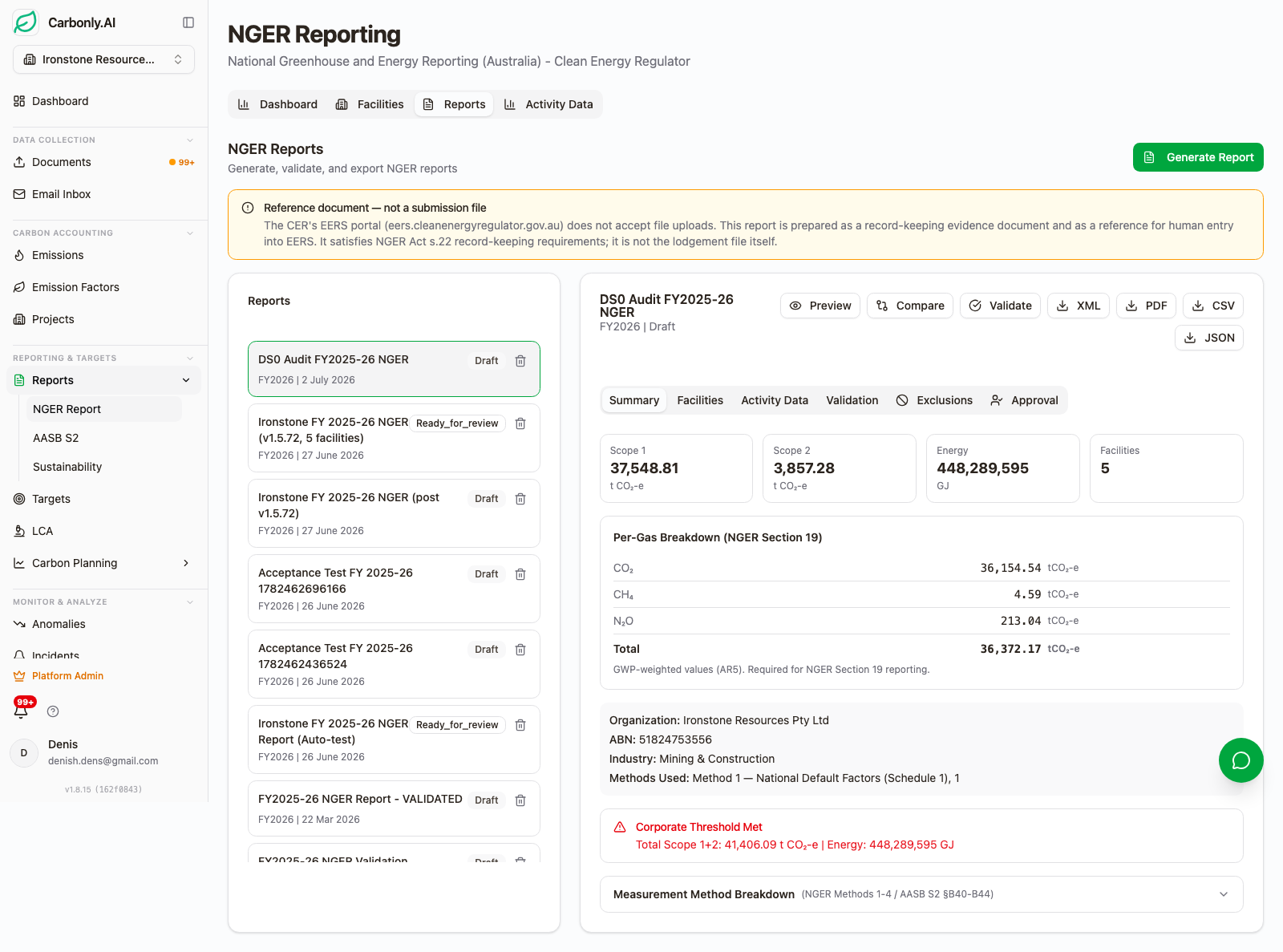
Four things happen when a user triggers a generation. The system reads the ledger for the selected reporting period. It applies AR5 global warming potentials to methane and nitrous oxide (NGER runs on AR5, not AR6, and the platform writes AR5 only). It runs Carbonly's own pre-submission validation rules over the output, checking the fields and completeness that EERS keying requires. And it writes an Evidence Pack manifest linking every disclosed number back to its source documents. The output is a structured XML extract for record keeping and downstream systems, a human-readable reference PDF for internal review, board sign-off and keying into EERS, and an Evidence Pack built for assurance review.
Starting from the reports list
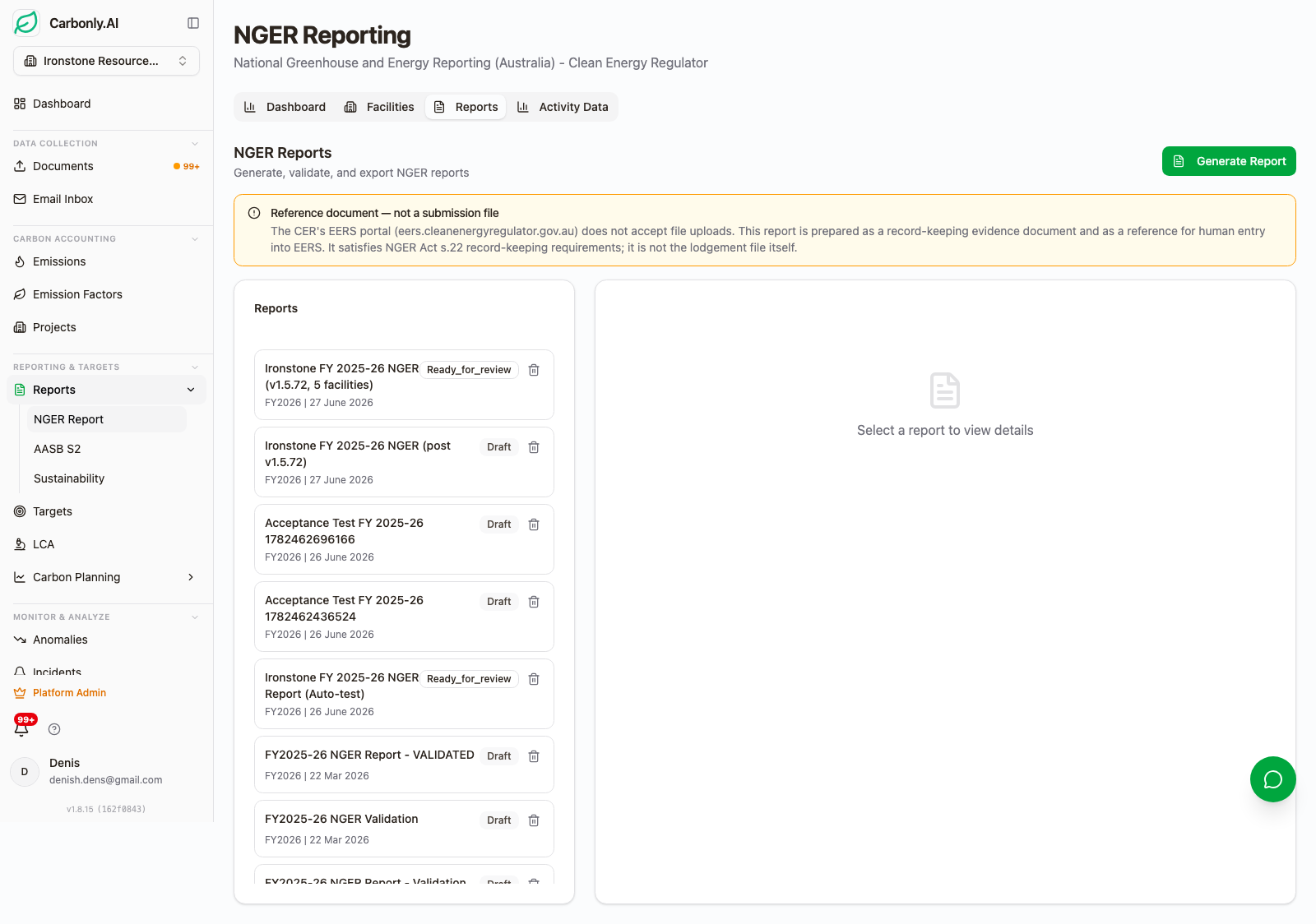
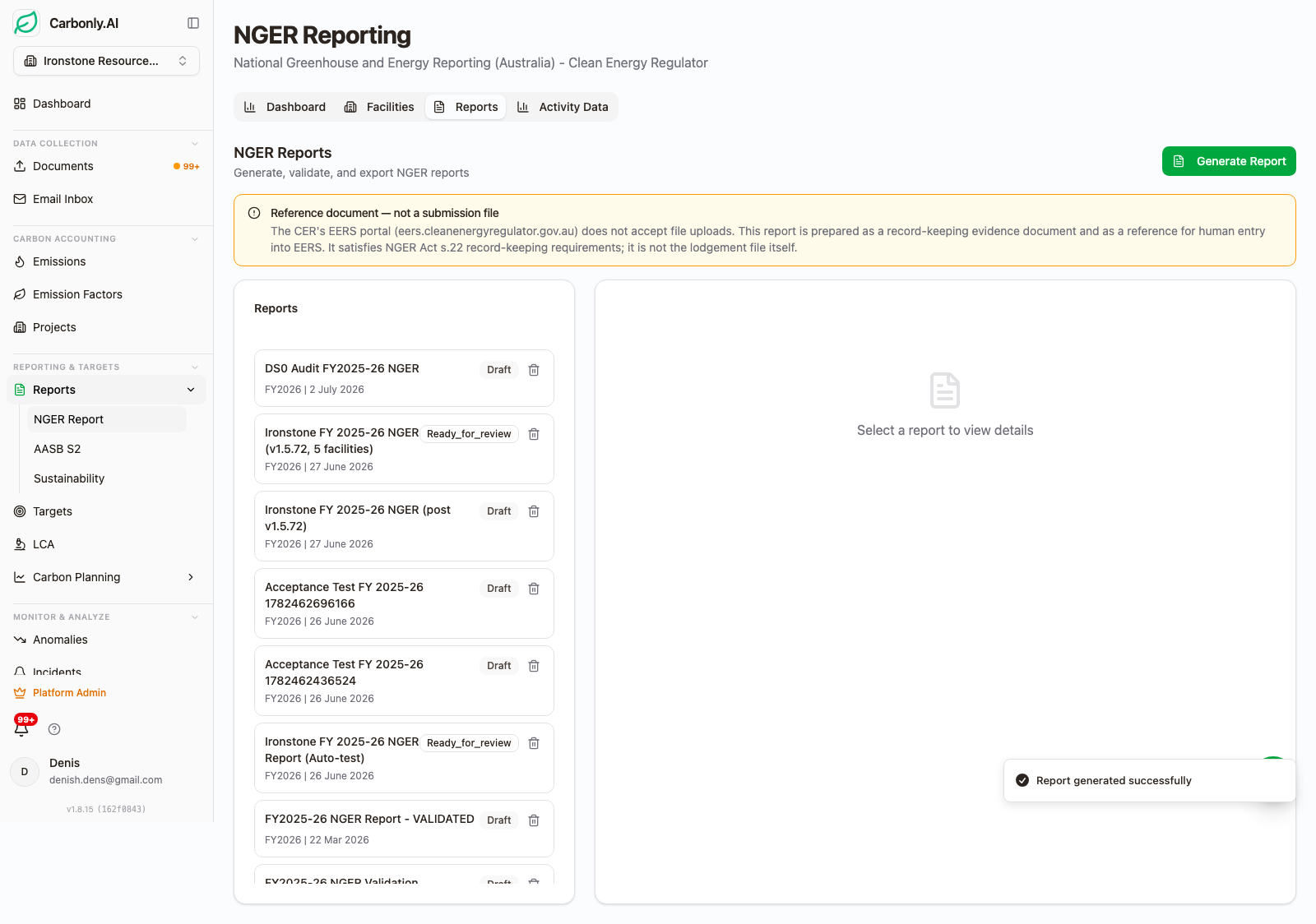
The reports list is the entry point. Every report the workspace has ever produced sits here, filtered by year and status. Draft reports are editable and re-generatable. Locked reports are frozen against the ledger snapshot at generation time. Once a report is locked and marked as submitted, the underlying period is period-locked too, so nobody can back-date an invoice into a closed reporting year without going through the formal restatement workflow. We wrote about that workflow in NGER and AASB S2 restatement after error submitted.
Two design choices here matter for auditors. First, the report list is not just a filing cabinet of PDFs. Each row is a versioned generation with a content fingerprint, so a v3 report from 15 October and a v4 report from 22 October can be compared cell-by-cell. Second, both the NGER and the AASB S2 report generators live in the same list. A reporter facing dual obligations under the dual-framework pathway for construction can produce both from a single source of truth. Both run on AR5; any AR6 figures the AASB S2 disclosure needs outside the AASB S2025-1 relief have to be prepared separately.
Generate wizard step 1
Clicking Generate opens the wizard. Step 1 is the boundary and scope declaration. The user picks the reporting period (the NGER year is 1 July to 30 June, and the wizard defaults to the current unclosed year). The corporate group is set at the workspace level and pre-populated here. Facilities inside the group are shown as a checklist with three states: include, exclude with reason, or defer to a joint venture consolidation.
The JV logic is where a lot of NGER submissions go wrong. If a facility has a 40% equity share and no operational control, the emissions do not belong in this reporter's NGER submission at all. If operational control exists and equity is 100%, everything flows through. The wizard forces the user to declare the consolidation method (operational control is the NGER default) and highlights any facility where the declared method conflicts with what the ledger has recorded. First-time reporters should read the first-time NGER reporter practical guide before running this step, because getting the boundary wrong is the most common way to end up under-reported and later restated.
The wizard also asks which methods are in play for each source category. Method 1 is the default, but a reporter using Method 2 for their coal seam gas fugitives or Method 3 for their landfill methane needs to declare it here so the correct disclosure fields are opened up in the schema.
Per-facility disclosure
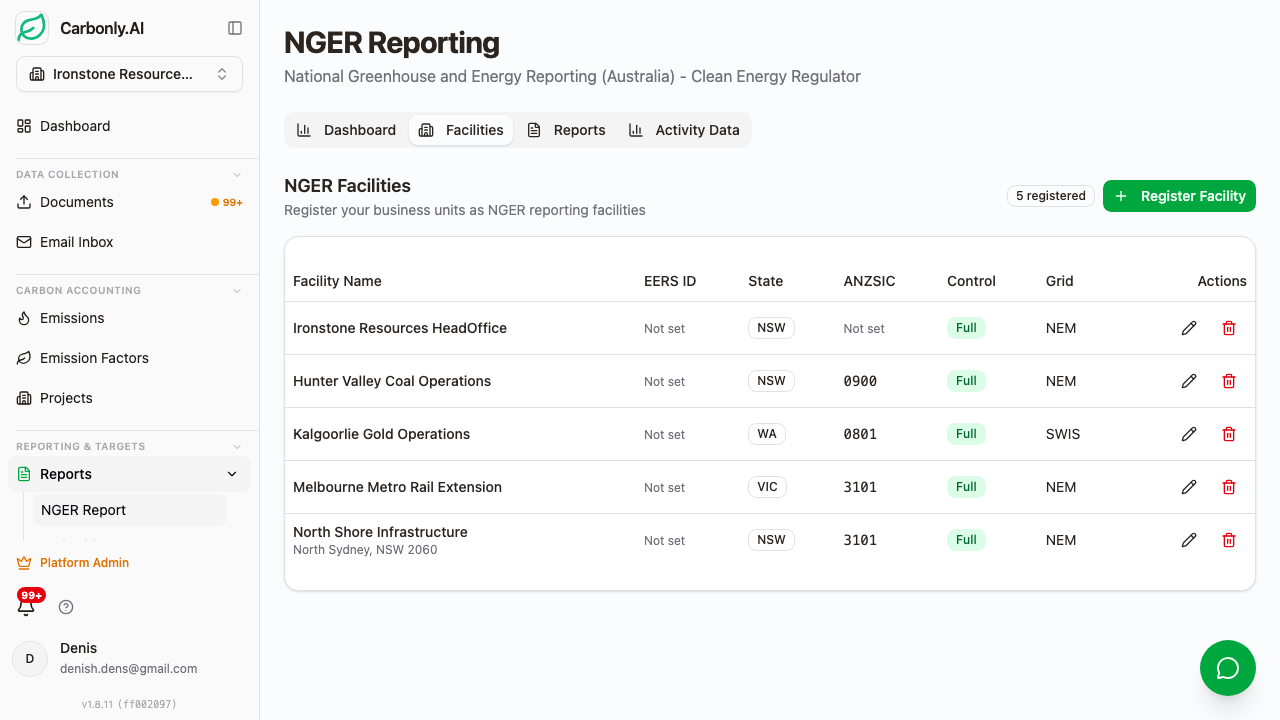
This is the screen where the ledger becomes the submission. Each facility gets a row. Each row expands into per-scope disclosure and per-gas breakdown. Scope 1 is separated by CO2, CH4, and N2O in tonnes of the gas itself, then again in tonnes CO2-e with AR5 GWPs applied. Scope 2 is location-based by default (this is what NGER requires) with market-based available as a supplementary calculation for the AASB S2 disclosure. Scope 3 is aggregated across the fifteen categories.
Energy consumed and energy produced sit next to the emission numbers, in gigajoules, calculated from the NGA 2025 energy content factors. A single row for a mid-size processing facility might show 4,200 tonnes Scope 1 CO2-e, 8,900 tonnes Scope 2 CO2-e, 120 TJ energy consumed, zero energy produced. The method used for each source category is shown alongside, because a Method 3 disclosure for landfill CH4 needs different supporting evidence than a Method 1 disclosure using default factors.
The per-gas breakdown is where the GWP basis matters. NGER runs on AR5 (CH4 = 28, N2O = 265). AASB S2 requires AR6 (fossil CH4 = 29.8, N2O = 273), subject to the AASB S2025-1 relief for the NGER-covered portion. The same underlying gas quantity in kilograms produces different CO2-e totals depending on which basis is being reported. The ledger calculates on AR5, so the NGER output uses AR5. The ledger writes AR5 only, so any AR6 figure for a portion outside the relief has to be prepared separately from the same gas quantities. We covered why this matters for methane-heavy reporters in AR5 vs AR6 GWPs for methane reporting.
The facility disclosure screen is also where anomalies surface. If a facility's Scope 1 CO2 has moved beyond a configurable year-on-year threshold without a matching change in activity data, it is flagged before the generation completes. That flag does not block submission. It writes a comment to the Evidence Pack that the reviewer has to acknowledge.
Report summary and reconciliation
The summary screen collapses everything back to the four numbers the Clean Energy Regulator actually files: total Scope 1 CO2-e, total Scope 2 CO2-e, total energy consumed in TJ, total energy produced in TJ. Underneath, a threshold reconciliation shows how the corporate group compares to the 50 kt CO2-e and 200 TJ thresholds, and each facility to the 25 kt CO2-e and 100 TJ facility thresholds.
For a reporter close to a threshold, this screen is where the exit-or-stay-in decision gets made. A corporate group at 51.2 kt CO2-e with one Method 1 source that could plausibly move to a Method 2 measurement has options. A group at 89 kt does not. The summary also shows the year-on-year variance for each headline number, alongside the movement in the Safeguard Mechanism baseline where the reporter has one.
The reconciliation table on this screen is the single artefact most sustainability managers want in front of them when they walk the CFO through the numbers. It is the same table that shows up in the Evidence Pack, so the version signed off internally is the version the assurance team reviews.
NGER validation output
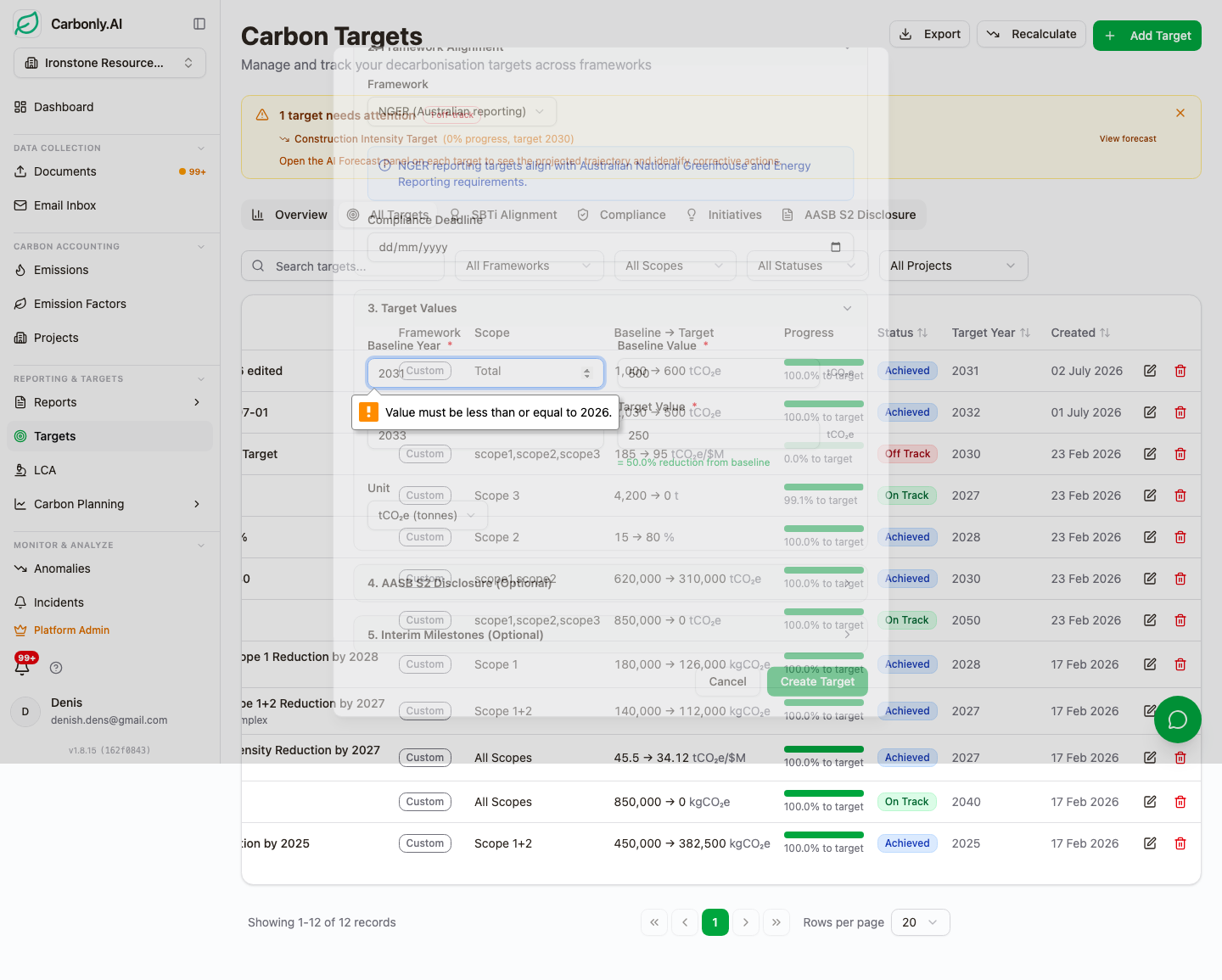
The validation step runs Carbonly's own rule set over the generated report: ABN format, facility registration and EERS facility IDs, state and ANZSIC coding, missing energy or method data, threshold breaches, and structural completeness. These are Carbonly's checks, written against the fields EERS asks for. They are not a substitute for the Clean Energy Regulator's own validations, which run when the figures are entered in the portal. Errors are separated from warnings. Errors block the export. Warnings do not, but every warning gets written into the Evidence Pack for the reviewer to sign off.
The errors that most often show up in draft generations are missing per-gas disclosure on a Scope 1 fuel source (someone loaded diesel litres but did not run the Scope 1 combustion calculation, so CO2 is populated but CH4 and N2O are zero), missing energy consumed on a Scope 2 electricity source, and boundary declarations that do not reconcile to the facility list. The validator is designed to catch all three before the report leaves the platform.
Warnings are more subtle. A source with 100% Method 1 disclosure but a 60% year-on-year change is a warning, because it may indicate an activity data error rather than a real emissions movement. A facility with zero Scope 3 disclosure when the corporate group has active supply chain data is a warning, because the reporter may have intended to include Scope 3 at the facility level. Warnings are how the platform flags things that will pass a structural check but that an ASSA 5010 assurance provider may well ask about. We covered the assurance side in NGER audit preparation and evidence pack.
Downstream submission to the Clean Energy Regulator
Here is the honest disclosure, and it is worth being precise about it. The Clean Energy Regulator does not expose a direct API for NGER submission, and the EERS portal does not accept a file upload. Submission requires an authorised officer under the NGER Act to log in and enter the figures in the EERS web form. Carbonly produces the validated report data, a structured XML extract, a human-readable reference PDF laid out for keying, and the Evidence Pack. The authorised officer keys the figures from that reference document into EERS. There is no automation past that line, and there won't be unless the Clean Energy Regulator opens a machine-to-machine surface.
We do not think this is a limitation of the product. The Regulator has a legitimate reason to require an authorised officer's sign-in for submission, and any product claiming direct lodgement would be misrepresenting what is possible. What the platform does instead is make the keying step as short and as well-evidenced as possible: the data is validated, the reference report is signed off, and the Evidence Pack is exported before anyone opens the portal. The reporting entity and its authorised officer remain responsible for what is entered and lodged, and the assurance provider remains responsible for its own opinion on it.
For reporters who also have a Safeguard Mechanism obligation, the same principle applies. Carbonly generates the Safeguard baseline and net emissions data, but the submission itself is manual through the Clean Energy Regulator's portal.
The Evidence Pack export
Once the report is generated and locked, the Evidence Pack gets produced for the assurance team.
The Evidence Pack is a downloadable bundle. Report XML, report PDF, source document register, calculation methodology statement, boundary declaration, exception log, and the content fingerprint for every input file. It is the artefact that supports an ASSA 5010 limited assurance engagement without the assurance team needing to log into the platform at all. We wrote about how ASSA 5010 reads against the ledger in NGER audit errors and data quality with AI.
The Evidence Pack retention default is seven years, an internal policy that exceeds the NGER Act five-year record-keeping requirement. Every artefact in the pack has a content fingerprint recorded at generation time, so later alteration of an artefact is detectable.
FAQ
Does Carbonly submit directly to the Clean Energy Regulator? No. The Clean Energy Regulator does not expose a public API for NGER submission, and the EERS portal does not accept a file upload. Carbonly produces the validated report data, a structured XML extract, a review-ready PDF laid out for keying, and the Evidence Pack. An authorised officer under the NGER Act enters the figures in the EERS web form. Every step before that is automated, and responsibility for the lodged submission stays with the reporting entity.
Which NGER methods does the report support? The report supports Methods 1, 2, 3 and 4 as defined in the NGER (Measurement) Determination. The generator asks the reporter to declare which method is in play for each source category during the wizard, then opens up the additional disclosure fields the schema requires for higher-tier methods. Method 1 uses the NGA 2025 factors by default.
How does per-gas breakdown work for CO2, CH4 and N2O? Every Scope 1 combustion source in the ledger holds three per-gas emission factors from the NGA workbook: CO2, CH4, and N2O, each expressed per unit of fuel. Consumption data flows through those factors independently, producing three per-gas quantities. The report discloses each gas separately in tonnes of the gas itself, then applies AR5 GWPs (CH4 = 28, N2O = 265) to produce the CO2-e totals the schema expects.
What does the validation step actually check? It runs Carbonly's own rule set over the generated report before the export is offered: ABN validity, facility registration and EERS facility IDs, state and ANZSIC coding, missing energy or method data, threshold breaches, missing per-gas disclosure, and boundary mismatches. Errors block the export. Warnings do not, but they are written into the Evidence Pack for reviewer sign-off. These are Carbonly's pre-submission checks, not the Clean Energy Regulator's own validations, which run when figures are entered in EERS.
Which GWP set does the report use? NGER runs on AR5 global warming potentials. AASB S2, aligned with the ISSB standard, requires AR6. A methane-heavy reporter files NGER with CH4 = 28, while AR6 gives fossil methane 29.8. The 15 December 2025 jurisdictional relief from AASB S2025-1 allows NGER reporters to use AR5 in their AASB S2 disclosure for the NGER-covered portion. The ledger calculates on AR5 only, so any AR6 figure for a portion outside the relief has to be prepared separately.
Practical next step
If a reporting team is preparing for the 2 November 2026 NGER deadline (31 October falls on a Saturday), the useful thing to do this quarter is not to plan a portal-day workshop. It is to get the emission ledger populated with source documents so that a report generation on 10 October comes back clean on the first try. Carbonly pricing is per project with a $100 per month minimum workspace fee. If a walkthrough on real invoices would help, email hello@carbonly.ai and we will run through the ingestion, ledger, and report generation on documents from your own reporting year.
The report generator described in this post is the one that ships in the workspace. AASB S2, GHG Protocol, and custom-report equivalents run off the same ledger. The reason we built the NGER pathway first is that NGER is the annual obligation with the hardest deadline and the sharpest audit trail. Everything else in Australian carbon reporting sits on top of it.
For the workflow view of what feeds into this generator, see NGER report generation automation and autonomous NGER submission workflow. For the compliance-side context, see NGER compliance automation.